


Word Seeker
4.42.31K Reviews
App Specs
- Version
- 1.8.0
- Updated On
- License
- Free
- Downloads
- 1,000,000+
- Developer
- Gimica GmbH
- Categories
- Word
- Platform
- Android, iOS
Screenshots
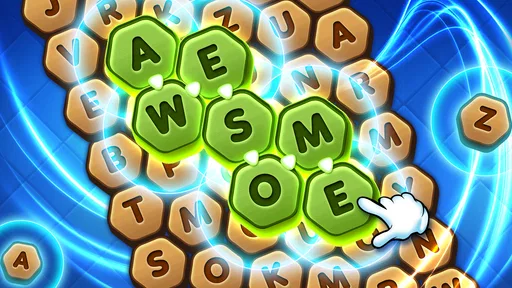
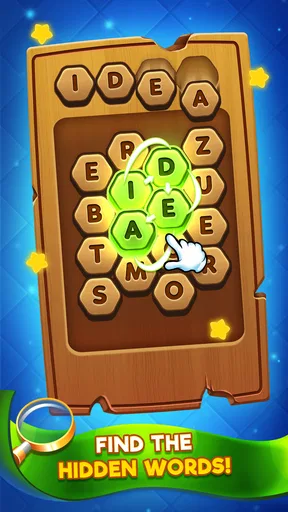

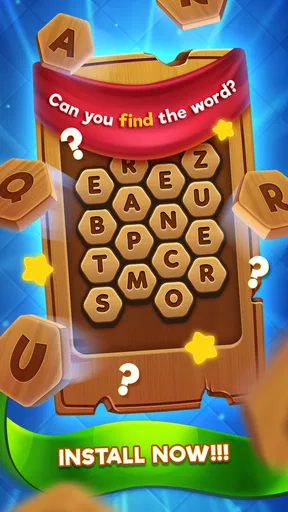
 Analysis by AppCompare
I reach for a word-search game when I want a small puzzle to focus on without committing to a long session. Word Seeker fits that mood: it turns a grid of letters into a quick hunt, with the satisfaction coming from spotting a word that was hiding in plain sight. It is a simple idea, but the appeal depends on how much you enjoy scanning, testing possibilities and keeping your attention on the board.
How the game feels in everyday use
At its core, this is a casual word game from Gimica GmbH. I would recommend it to people who like letter puzzles and want something they can pick up in a spare moment. It is free to start, rated for Everyone, and has a 4.4 average from around 23,000 ratings, alongside more than a million installs. Those figures suggest a broad audience, but the more important question is whether the basic search loop suits the way you like to play.
A quick session, not a complicated setup
The appeal of a grid-based word hunt is that the goal is immediately understandable: look across the letters and find the words tucked inside. You do not need to learn a long list of rules before getting started, which makes this kind of puzzle convenient during a short break or while waiting for an appointment. I would treat it as a focused little activity rather than a game that needs a big block of uninterrupted time.
That simplicity is also a useful filter. If you enjoy noticing letter patterns, checking a promising sequence and moving on once you have found it, the format can feel pleasantly absorbing. If you want a story, character progression, or a tactical system that changes from one session to the next, a straightforward word hunt may feel thin. The pleasure here is in the search itself, not in a larger narrative wrapped around it.
Finding words and deciding when to use a hint
The central challenge is visual as much as verbal. Knowing a word is not enough; you have to locate its letters in the grid and trace the sequence carefully. I find that it helps to scan in a deliberate order instead of darting randomly around the board: pick a starting letter, check its nearby possibilities, then move to another part of the grid. That small habit can make a puzzle feel less cluttered without making it effortless.
Hints are best treated as a nudge rather than an automatic shortcut. When I get stuck, I would first pause and look again for less obvious letter combinations, then spend a hint only if I am no longer enjoying the search. That keeps the puzzle satisfying and makes limited help feel useful. Players who prefer every level to be solvable without assistance may appreciate the option, while anyone who dislikes resource limits may find it a mild source of pressure.
What changes as you keep playing
The game includes different difficulty levels and daily challenges, giving the basic word-finding task more than one way to hold your attention. A daily puzzle can work as a small routine: open the game for a brief mental warm-up, try the challenge, and leave when you have had enough. I would not assume that a daily task needs to become a streak or obligation; it is more enjoyable when it remains an invitation rather than another item on a checklist.
Worth Reading Before You Choose

Flipboard Shows What News Apps Must Do Beyond the Feed

Switching to Android Auto Means Rethinking Your Driving Routine

Google Calendar Makes a Crowded Week Easier to Manage

Ludo King Makes the Most of the Minutes Between Plans

Baby Panda World Brings Quick Play to Modern Phones, but Its Game Library Feels Busy

ESPN’s Live Game View Makes Following Close Games Easier
The current version is 1.4.0, and the game was released on December 24, 2021. Those facts give a little context about its life so far, but they do not by themselves tell me which parts have changed or how often the game has been revised. For someone already playing, the practical test is whether the present mix of grids, difficulty and daily challenges still feels varied enough. For a newcomer, it is sensible to judge the game by the puzzles available now rather than assume a particular future feature is on the way.
Where it sits beside other word puzzles
Compared with a crossword, this kind of game asks less of you in terms of clues and general knowledge; the main task is spotting words in a visual field. Compared with a word-building game, it is less about inventing a high-scoring combination from a rack of letters and more about searching for what is already concealed. That makes it a comfortable choice when you want a clear objective, though players who enjoy solving clues, competing over vocabulary or making strategic letter choices may prefer those alternatives.
It also suits a different kind of attention than a book or a long-form puzzle. You can stop after a short session without needing to remember a plot or keep track of several connected clues. In return, the experience may feel repetitive if you need each round to introduce a noticeably different mechanic. I would choose it for a quick visual word hunt, not as a replacement for every kind of word game.
Visual comfort and social play
The original article’s impression of the visuals is that they feel calm and uncluttered, which matters in a game built around scanning a letter grid. A clean presentation can help you keep your place, especially when you are playing briefly between other tasks. Still, a soothing look cannot remove the basic demand of concentrating on letters; if you are tired or playing in a distracting setting, it may be harder to spot words even when the screen itself feels easy to look at.
The game has also been described as offering ways to connect with friends, challenge them or work together on tougher puzzles. That gives it a possible social angle beyond solitary play, although I would not make that the main reason to install it unless friendly word-game interaction is something you already enjoy. If you mainly want a private puzzle, the letter search remains the central draw; if you want a deep competitive community, a dedicated multiplayer word game may be a better fit.
Cost, ads and the choice to keep playing
Word Seeker is free to download, with in-app purchases ranging from $0.99 to $4.49 per item. The earlier playing impression described ads as present but not overwhelming and mentioned an ad-free purchase. I would approach any purchase as optional rather than necessary: first see whether the puzzle loop is something you genuinely return to, then decide whether paying to change the experience is worthwhile for you. The available purchase range is modest, but repeated small purchases can still add up if you buy without a clear reason.
That is also the answer to a practical question many players have: can you try it without paying? Yes, the game is free to start, so you can decide whether its style suits you before spending anything. If ads interrupt your concentration, or if you would rather avoid in-app spending altogether, consider that trade-off before settling into a regular routine. I would not promise an entirely uninterrupted experience based on a free download.
Who is likely to enjoy it—and who may not
I would point casual players toward it if they like visual word searches, want a simple activity for a short break, or enjoy returning to a daily puzzle when it fits their schedule. It may also work well as a low-pressure way to keep vocabulary and pattern recognition in use, though I would not treat a game as a structured language course. Someone new to word games can understand the basic objective quickly, while experienced puzzle fans can use the difficulty choices to look for a more demanding search.
I would steer away from it if your main priority is a rich campaign, elaborate progression, or a fresh set of mechanics in every session. It may also be a poor match if you dislike advertising, limited hints or the possibility of paying for optional extras. In those cases, a paid puzzle with a different format, a crossword app, or a word-building game may better match what you want. The right alternative depends on whether you prefer clues, strategy, or a one-time purchase over a quick grid search.
A realistic way to fit it into the day
Imagine waiting for a delayed appointment with a few minutes free. I would open a puzzle, scan the grid in sections, and give myself a stopping point after the current round rather than letting a short wait turn into an aimless stretch of screen time. If I hit a wall, I would look for a different starting letter before using a hint. That approach makes the game feel like a compact break and helps preserve the pleasure of finding words independently.
For a more deliberate session at home, I would try a harder level when I have enough attention to slow down and inspect the board. Switching between a relaxed short play and a more focused puzzle is a practical way to see whether the difficulty range offers enough variety for you. If every level feels alike after several sessions, that is useful evidence that the game’s basic loop may not hold your interest long-term.
What to expect from its current state
The game has 2,000 reviews and a 4.4 average rating, but ratings cannot tell you whether its particular style of searching will click for you. Its current version number gives existing players a concrete reference point, not a promise about future changes. I would watch for meaningful improvements to puzzle variety, usability or the balance of help and challenge if you are already a regular player; until then, I would judge it on the grids and routines you can use now.
For someone considering a download, the simplest decision is to ask what kind of word puzzle sounds appealing today. If you want to scan letters, find hidden words and leave after a short session, this is a sensible option to try. If you want clue-solving, competitive word construction or a deeper progression system, another format is likely to keep you engaged longer. That distinction matters more than the headline rating or the promise of a daily challenge.
My take after weighing the trade-offs
Hey there! So, I recently got my hands on this nifty little app called Word Seeker, and let me tell you, it's quite the gem if you're into word games. You know how sometimes you just need a break from all the chaos and want to dive into something that tickles your brain just right? Well, that's exactly what this app does.
What’s All the Buzz About?
At first glance, Word Seeker might seem like just another addition to the myriad of word games out there, but it's got a unique charm. The game throws you into a grid filled with random letters, and your mission is to find hidden words. Sounds simple, right? But as you get deeper, it becomes more challenging and oh-so-addictive.
Getting Started
Downloading and setting up the app is a breeze. It’s available for both Android and iOS, so you’re covered no matter what device you’re rocking. Once installed, you're greeted with a clean and user-friendly interface. The developers have done an amazing job at keeping things straightforward, which is great because no one likes to fumble through complex menus. You can jump straight into the action without any fuss.
Gameplay and Features
The core gameplay revolves around finding words within a grid. You swipe through letters to create words, and the longer the word, the more points you score. There are different levels of difficulty, so whether you're a beginner or a seasoned wordsmith, there's something for you. One feature I absolutely love is the daily challenges. They keep things fresh and give you a reason to return day after day.
Another cool aspect is the hint system. Stuck on a tricky word? No problem! You can use hints to nudge you in the right direction. But be careful, those hints are limited, so use them wisely!
Visually Pleasing
The visuals are sleek and calming. The color palette is easy on the eyes, which is a big plus when you’re playing for extended periods. The developers have nailed the balance between aesthetics and functionality. There are no distracting elements, so you can focus on your word-finding mission without any interruptions.
Community and Social Features
One of the standout aspects of Word Seeker is its community integration. You can connect with friends, challenge them, or even team up to tackle some of the tougher puzzles. It adds a layer of social interaction that makes the game even more engaging. There’s nothing like a little friendly competition, right?
Monetization and Ads
Now, let's talk about something we all love to hate: ads. Fortunately, Word Seeker handles this pretty well. Yes, there are ads, but they’re not overwhelming. You can also opt for an ad-free experience through a small in-app purchase, which is totally worth it if you ask me.
Final Thoughts
All in all, Word Seeker is a delightful escape into the world of letters and words. It's perfect for casual gamers and word lovers alike. Whether you're looking to kill some time on your commute or unwind after a long day, this app has got you covered. Plus, the satisfaction of finding that elusive word is just unbeatable. So, if you haven't already, give it a download and let your inner word nerd run wild!
Pros
- Engaging puzzles enhance vocabulary skills.
- User-friendly interface with intuitive controls.
- Daily challenges keep gameplay fresh.
- Offline mode available for on-the-go play.
- Minimal ads ensure an uninterrupted experience.
Cons
- Limited free levels without purchase.
- Occasional crashes on older devices.
- In-app purchases can be pricey.
- No multiplayer or social features.
- Repetitive background music may annoy some.
FAQs for Word Seeker
What is Word Seeker and how does it work?
Word Seeker is an engaging word puzzle game available for both Android and iOS devices. The game challenges players to find hidden words in a grid of scrambled letters. As you advance through levels, the difficulty increases, offering a stimulating experience for word enthusiasts. It's perfect for improving vocabulary and cognitive skills.
Is Word Seeker free to download and play?
Yes, Word Seeker is free to download and play. However, it offers in-app purchases for players who wish to enhance their experience with additional features, such as hint packs or ad-free gameplay. These purchases are optional and not necessary to enjoy the full game.
Does Word Seeker require an internet connection?
No, Word Seeker does not require a constant internet connection to play. You can enjoy the game offline, making it a great option for traveling or when you're in areas with limited connectivity. However, some features, like leaderboards or in-app purchases, may require an internet connection.
Are there any age restrictions for playing Word Seeker?
Word Seeker is suitable for all ages, making it a family-friendly game. It provides a fun and educational experience for children and adults alike. The game helps improve vocabulary and cognitive skills, making it an excellent choice for players seeking both entertainment and educational value.
What features does Word Seeker offer to enhance gameplay?
Word Seeker includes a variety of features to enhance gameplay, such as daily challenges, themed puzzles, and a hint system to assist when you're stuck. It also offers a leaderboards feature where players can compete with friends and other players globally, adding a competitive edge to the experience.


